Story Narrator AI for Windows: Turn Your Writing into Beautiful Voice
Story Narrator AI helps you turn text into natural narration with optional background ambience, emotion controls, and export-ready audio on Windows.
If you write stories, scripts, lessons, or social content, reading silently is not enough. You need to hear your words to catch awkward lines, pacing issues, and emotional tone before your audience does.
That is exactly why I built Story Narrator AI - a focused Windows app for creators who want professional narration results without complicated audio tools.
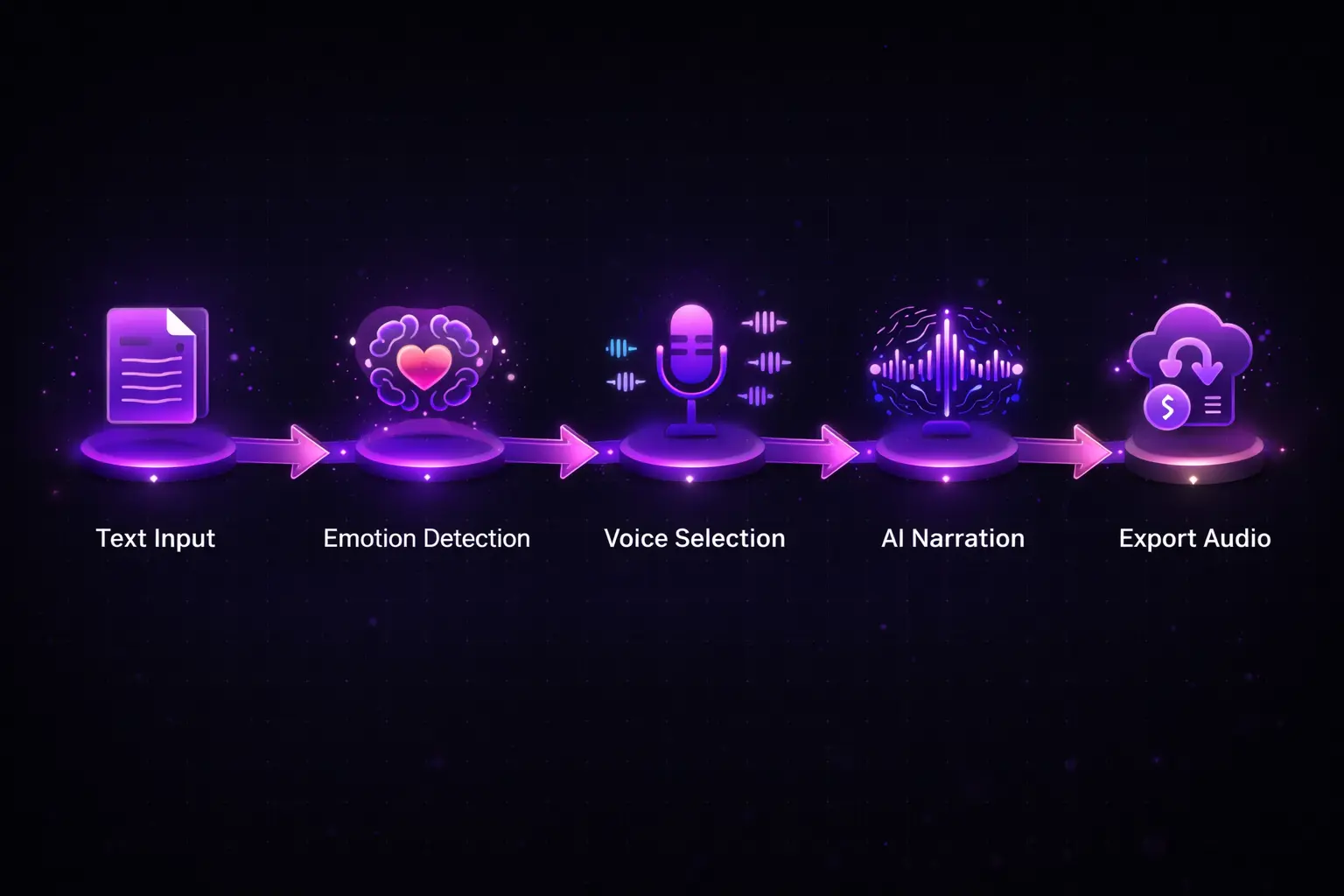
It turns your text into natural-sounding voice on Windows, lets you shape delivery with voice and emotion controls, and can layer subtle background ambience so your narration feels cinematic and engaging.
Try Story Narrator AI on Microsoft Store
Get the app here: Story Narrator AI on Microsoft Store
If you want a clean writing-to-voice workflow without a complicated setup, this app is built for you.
CTA: Install it today and turn your next draft into listenable narration in minutes.
Listen to a real output sample
Below is an exported sample with voice plus background ambience:
What makes Story Narrator AI different
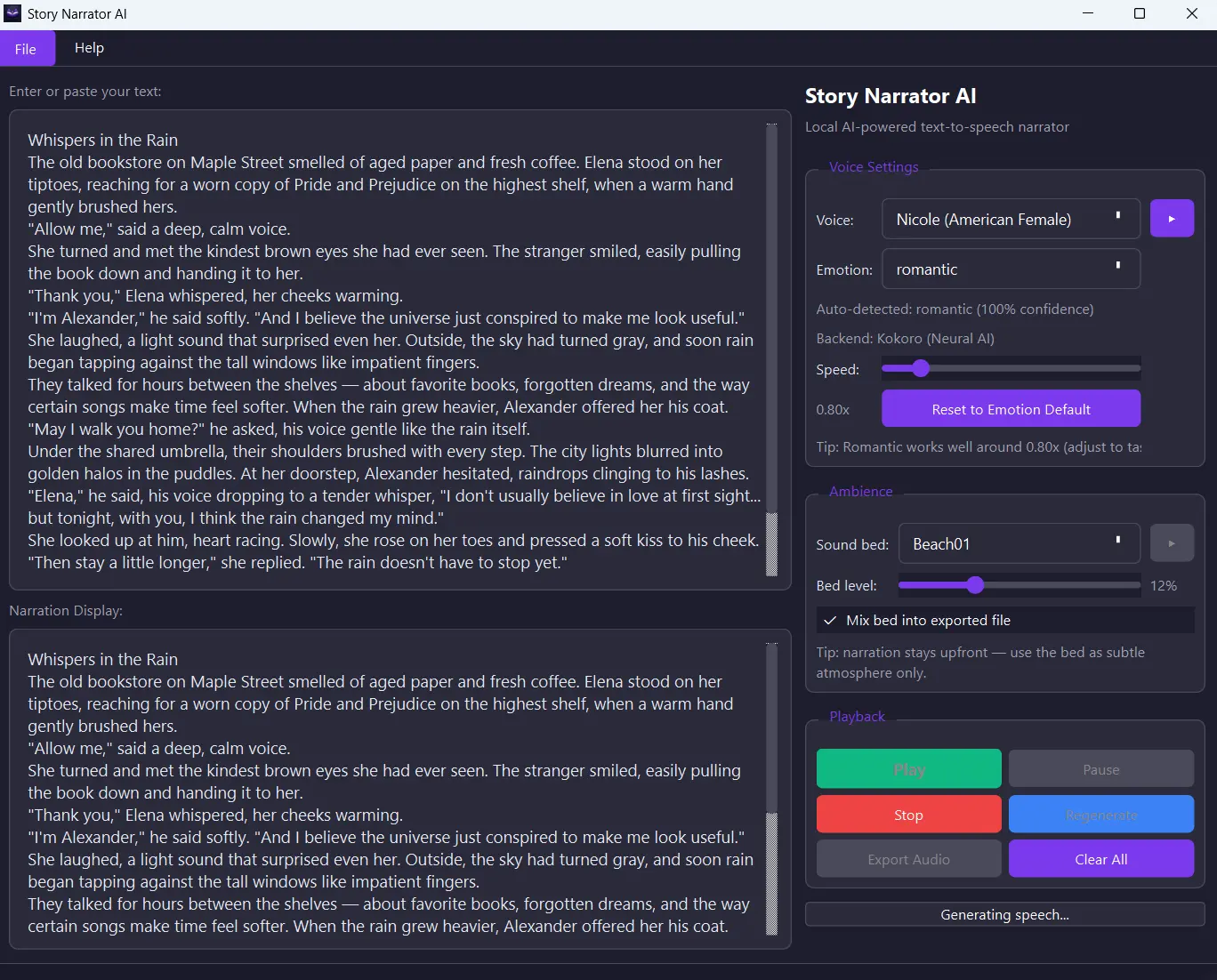
- Natural voice playback: hear your text with modern AI voices and familiar system voices.
- Emotion and speed control: tune delivery so the mood matches your writing.
- Optional ambience bed: add soft background atmosphere for immersive storytelling.
- Text-follow experience: listen while tracking your content more clearly.
- Export-ready workflow: generate audio files you can reuse for edits, posts, and archive.
Built for real people doing real work
Story Narrator AI is especially useful for:
- Writers and editors reviewing drafts out loud.
- Students converting notes into listenable study material.
- Content creators preparing narration for short videos and reels.
- Anyone who prefers listening for accessibility or focus.
App screenshots


Why buy now
If you already write and publish, this app helps you improve quality and ship faster because you can hear what listeners will feel.
Instead of guessing tone and rhythm, you review narration directly, adjust quickly, and export when ready.
You are not just buying a text-to-speech utility. You are buying a faster editing loop, stronger storytelling quality, and more confidence before you publish.
Install now: Buy Story Narrator AI on Microsoft Store
Want more practical creator workflows? Explore Articles and creator-friendly utilities in Tools.